> ## Documentation Index
> Fetch the complete documentation index at: https://docs.logaflow.com/llms.txt
> Use this file to discover all available pages before exploring further.
# Slack
> See how to integrate with Slack to receive notifications of new feedback on your channels
## 1. Create an app in Slack
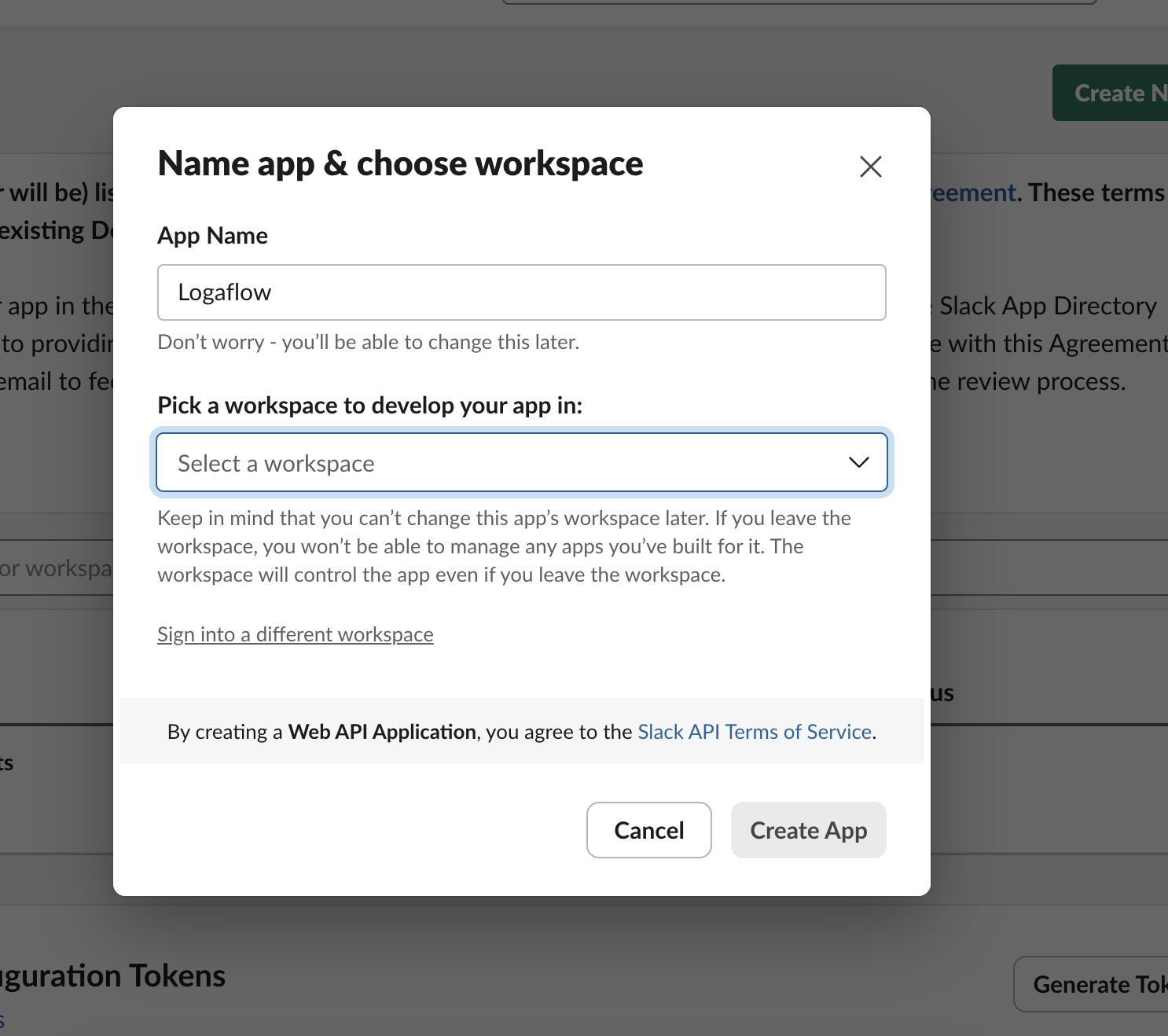
Go to the [Slack developer dashboard](https://api.slack.com/apps?new_app=1) and create a new app from scratch. Call it "Logaflow" and connect it to the workspace of your choice.
 > Optional: Feel free to use an image from here as the app's logo.
## 2. Create a webhook in Slack
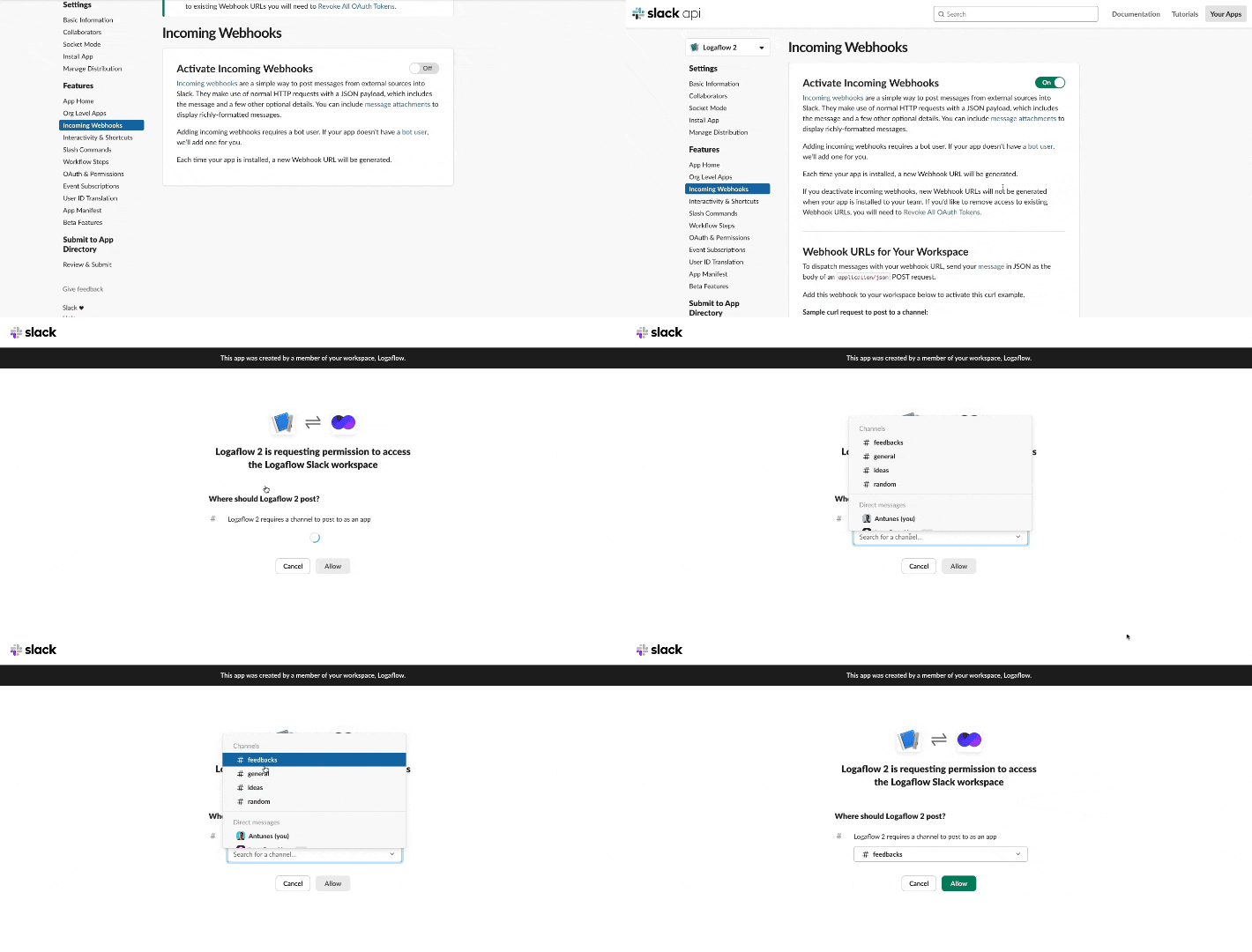
Go to the 'Incoming Webhooks' page for your newly-created app and toggle 'Activate Incoming Webhooks' to turn it on. Then click on 'Add New Webhook to Workspace' and select the channel that the action posts to.
> Optional: Feel free to use an image from here as the app's logo.
## 2. Create a webhook in Slack
Go to the 'Incoming Webhooks' page for your newly-created app and toggle 'Activate Incoming Webhooks' to turn it on. Then click on 'Add New Webhook to Workspace' and select the channel that the action posts to.
 ## 3. Connect your webhook to Logaflow
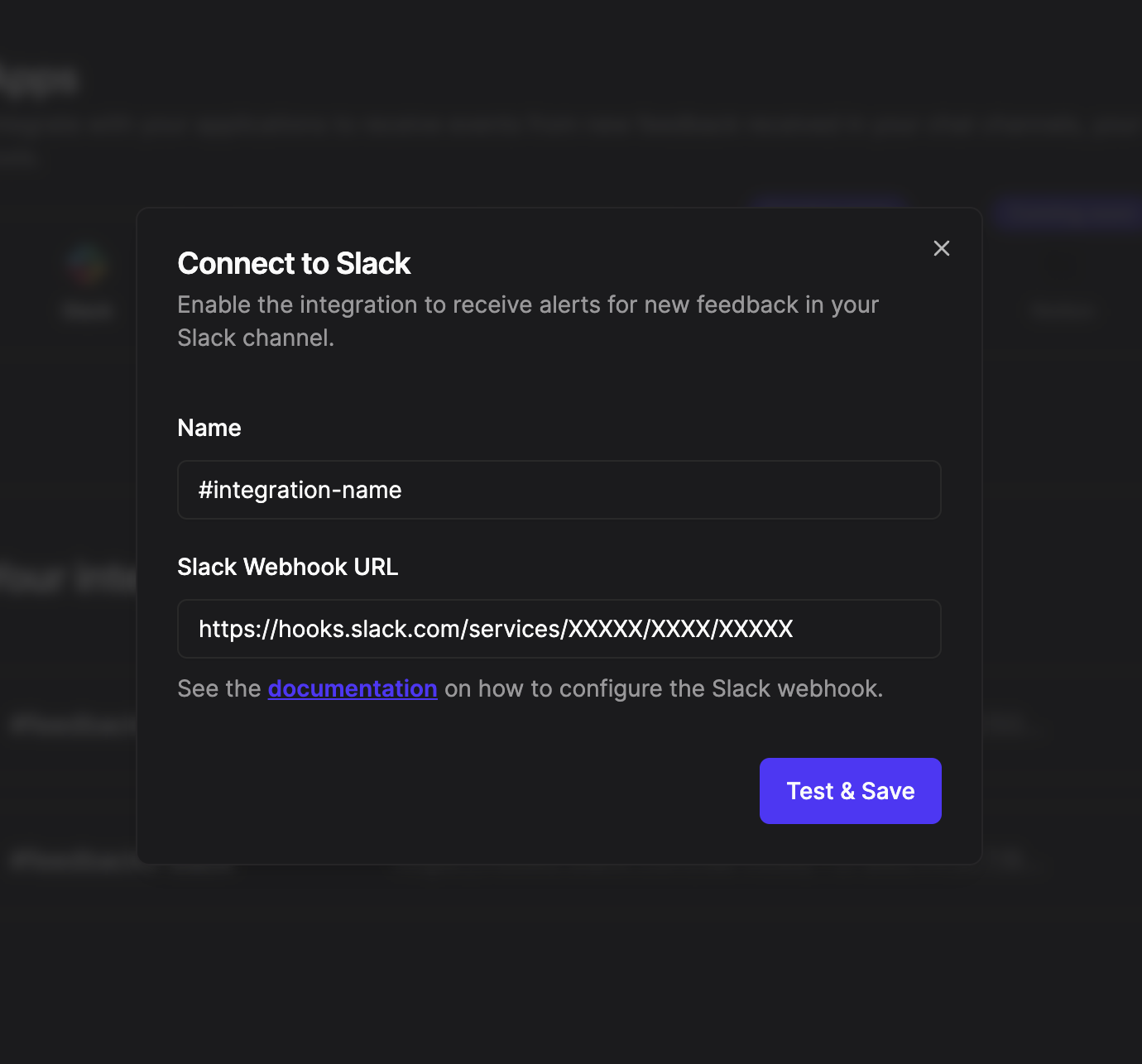
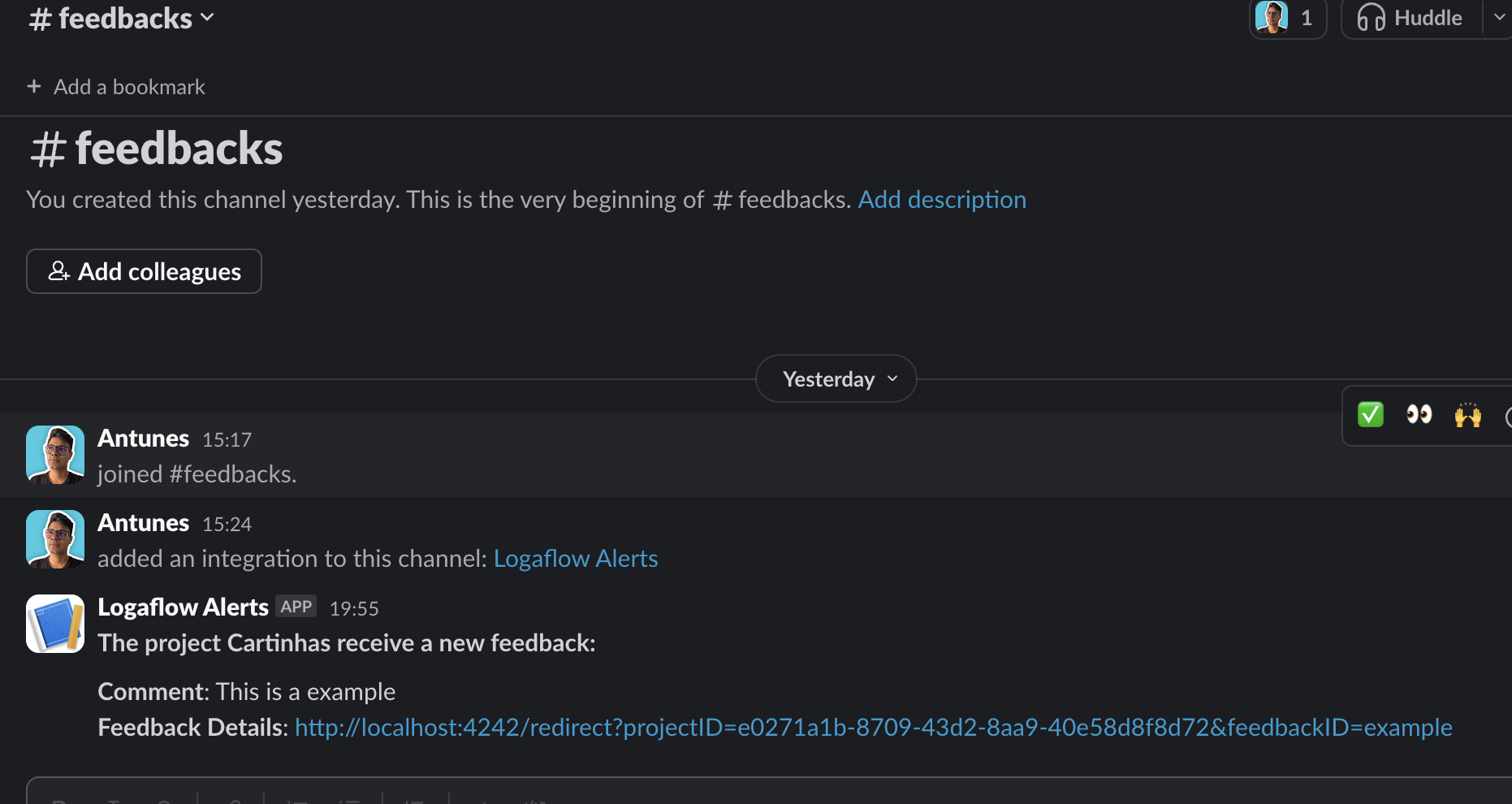
Access the [integrations](https://app.logaflow.com/workspace/integrations) tab of the project you want to integrate and click on the slack option. Add a webhook name and url, then click Test and Save. If everything goes well, a test message will appear in your slack channel.
## 3. Connect your webhook to Logaflow
Access the [integrations](https://app.logaflow.com/workspace/integrations) tab of the project you want to integrate and click on the slack option. Add a webhook name and url, then click Test and Save. If everything goes well, a test message will appear in your slack channel.