> ## Documentation Index
> Fetch the complete documentation index at: https://docs.logaflow.com/llms.txt
> Use this file to discover all available pages before exploring further.
# Customization
> How to customize the logaflow widget
## General
To customize your widget you must access your project's [widget page](https://app.logaflow.com/workspace/widget)
### Log Collection
In this section you can configure which levels of console logs logaflow can capture, by default we capture them all.
### Replay
In this section you can enable and disable the function of recording the [user session](/feedback/details.mdx) for replay. By default it is active.
### Networks
In this section you can configure the requests that can be captured by logaflow. By default all requests made are captured, you can limit this by adding the specific sources you want to monitor.
Logaflow does not capture sensitive information from requests.
## Widget customization
### Customize widget trigger
You can customize the trigger that opens the feedback popup. To use a customizable trigger you must first disable logaflow's default trigger:
```tsx theme={null}
import React from 'react'
import ReactDOM from 'react-dom/client'
import { LogaflowWidget } from '@logaflow/react' // or import { LogaflowWidget } from '@logaflow/next' if you are using in a next project
import '@/styles/globals.css'
import AppRoot from './app.root.tsx'
ReactDOM.createRoot(document.getElementById('root')!).render(
<>
{/* Add useCustomTrigger prop */}
)
```
```tsx theme={null}
import { useLogaflowPopup } from "@logaflow/react" // or import { useLogaflowPopup } from '@logaflow/next'
export const CustomTriggerComponent = () => {
const { open, isOpen } = useLogaflowPopup()
return
}
```
**Example** importing and using custom trigger
```tsx theme={null}
import { Outlet } from 'react-router-dom'
import { CustomTriggerComponent } from '@/components/common/custom-trigger.component'
function PrivateLayout() {
return (
<>
)
}
export default PrivateLayout
```
## Identify user
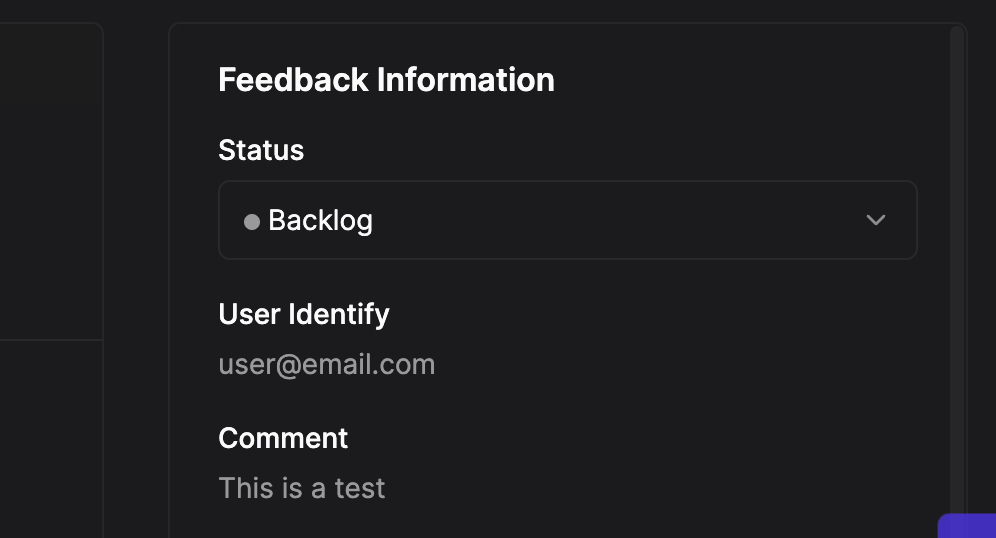
You can add an identifier to know which user is providing feedback. This identifier will appear in the feedback details on the logaflow dashboard.
User ID will appear on the details screen:
### How identify user using react
Use useLogaflowIdentify hook
```tsx theme={null}
import { useLogaflowIdentify } from '@logaflow/react' // or if using next: import { useLogaflowIdentify } from '@logaflow/next'
function ExampleAuthPage() {
const { identifyUser } = useLogaflowIdentify()
const onSubmit = () => {
// ...
// ... example adding user identify ...
identifyUser(user.email)
}
return (
)
}
export default ExampleAuthPage
```
### How identify user using html
```html theme={null}
...
...
```
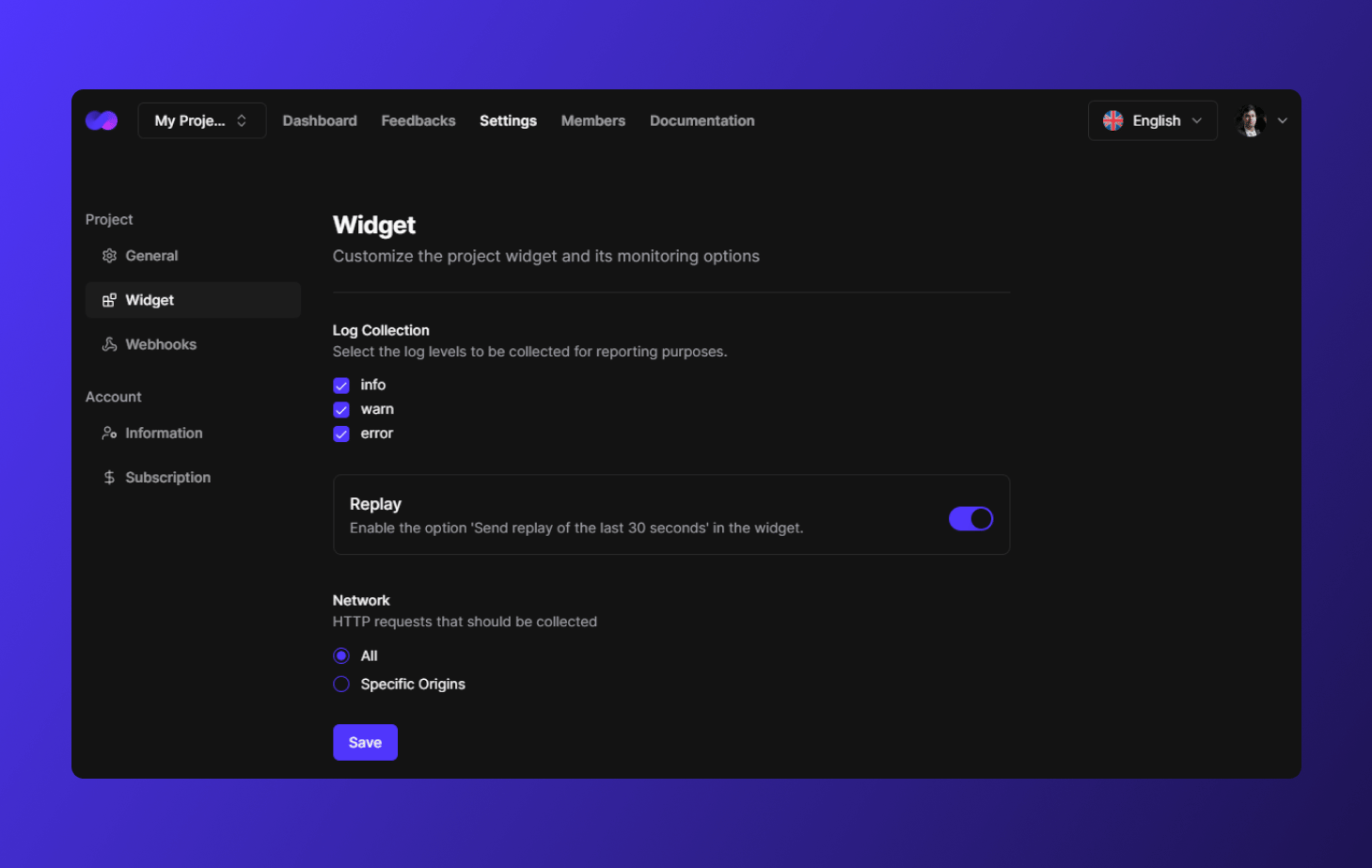 ### Log Collection
In this section you can configure which levels of console logs logaflow can capture, by default we capture them all.
### Replay
In this section you can enable and disable the function of recording the [user session](/feedback/details.mdx) for replay. By default it is active.
### Networks
In this section you can configure the requests that can be captured by logaflow. By default all requests made are captured, you can limit this by adding the specific sources you want to monitor.
### Log Collection
In this section you can configure which levels of console logs logaflow can capture, by default we capture them all.
### Replay
In this section you can enable and disable the function of recording the [user session](/feedback/details.mdx) for replay. By default it is active.
### Networks
In this section you can configure the requests that can be captured by logaflow. By default all requests made are captured, you can limit this by adding the specific sources you want to monitor.
 ### How identify user using react
Use useLogaflowIdentify hook
```tsx theme={null}
import { useLogaflowIdentify } from '@logaflow/react' // or if using next: import { useLogaflowIdentify } from '@logaflow/next'
function ExampleAuthPage() {
const { identifyUser } = useLogaflowIdentify()
const onSubmit = () => {
// ...
// ... example adding user identify ...
identifyUser(user.email)
}
return (
)
}
export default ExampleAuthPage
```
### How identify user using html
```html theme={null}
...
### How identify user using react
Use useLogaflowIdentify hook
```tsx theme={null}
import { useLogaflowIdentify } from '@logaflow/react' // or if using next: import { useLogaflowIdentify } from '@logaflow/next'
function ExampleAuthPage() {
const { identifyUser } = useLogaflowIdentify()
const onSubmit = () => {
// ...
// ... example adding user identify ...
identifyUser(user.email)
}
return (
)
}
export default ExampleAuthPage
```
### How identify user using html
```html theme={null}
...